Installation
Dependencies
VIOLIN requires Python version 3.7 or higher, as well as the pandas and NumPy libraries.
Python can be installed from the Python website for Mac or Windows OS.
For Mac OSX, Python can also be installed at the command line by:
brew install python
Installing VIOLIN
A copy of the VIOLIN repository can be downloaded from Github, or cloned through git at the command line:
git clone https://github.com/pitt-miskov-zivanov-lab/VIOLIN.git
You will then need to run the setup.py file to use VIOLIN as a package:
cd VIOLIN
pip install -e .
VIOLIN GUI
To use the user interface (UI) for VIOLIN, you will need to install the npm:
brew install npm
Then, you can follow the instructions to start the backend server:
fastapi run main.py
and open a new terminal to start the front end UI:
npm run start
This will start the server on localhost:8000 and the UI on localhost:3000. After open the url localhost:3000 in your browser, you can see the following page:
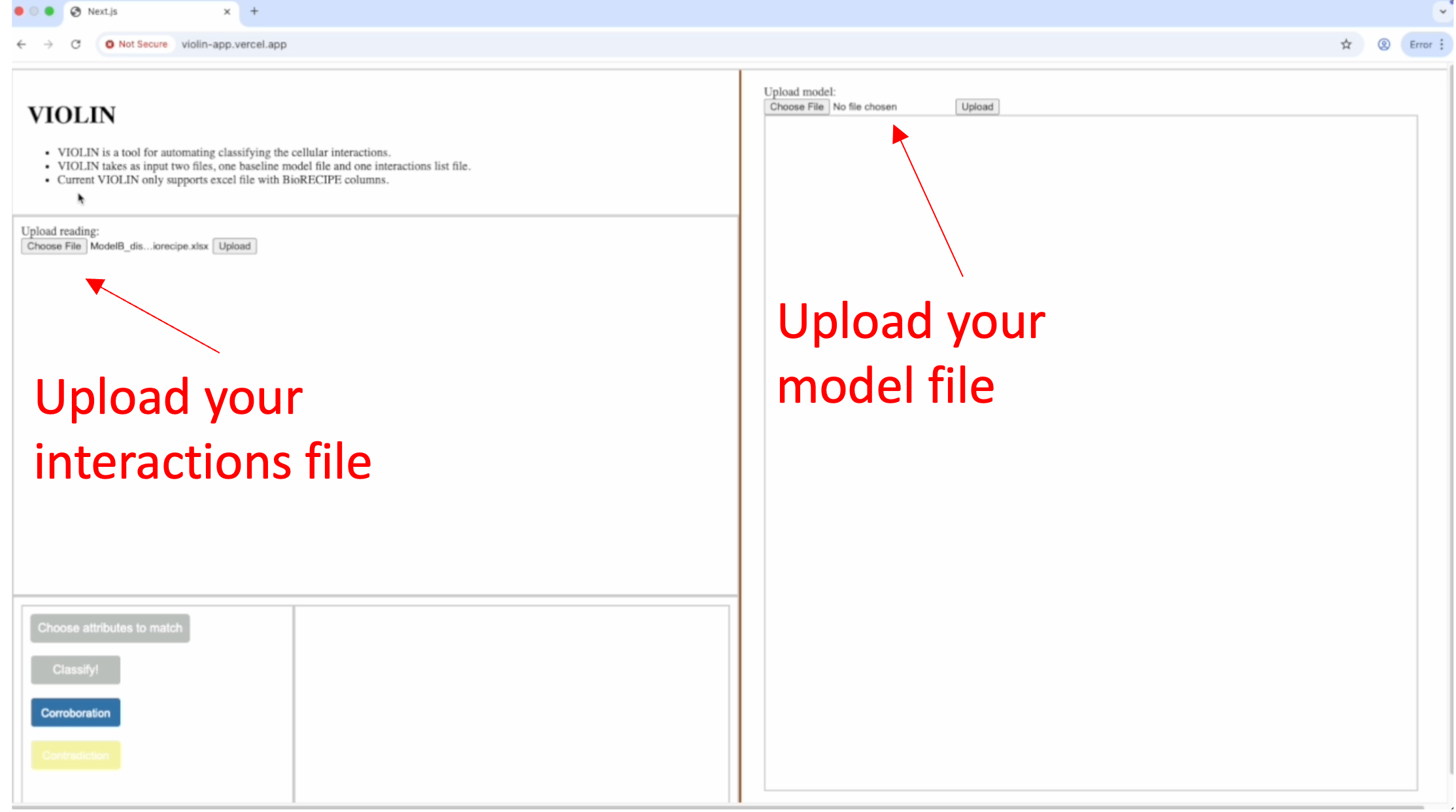
You can upload the BioRECIPE interaction file and the BioRECIPE model file by clicking the “Upload” button.
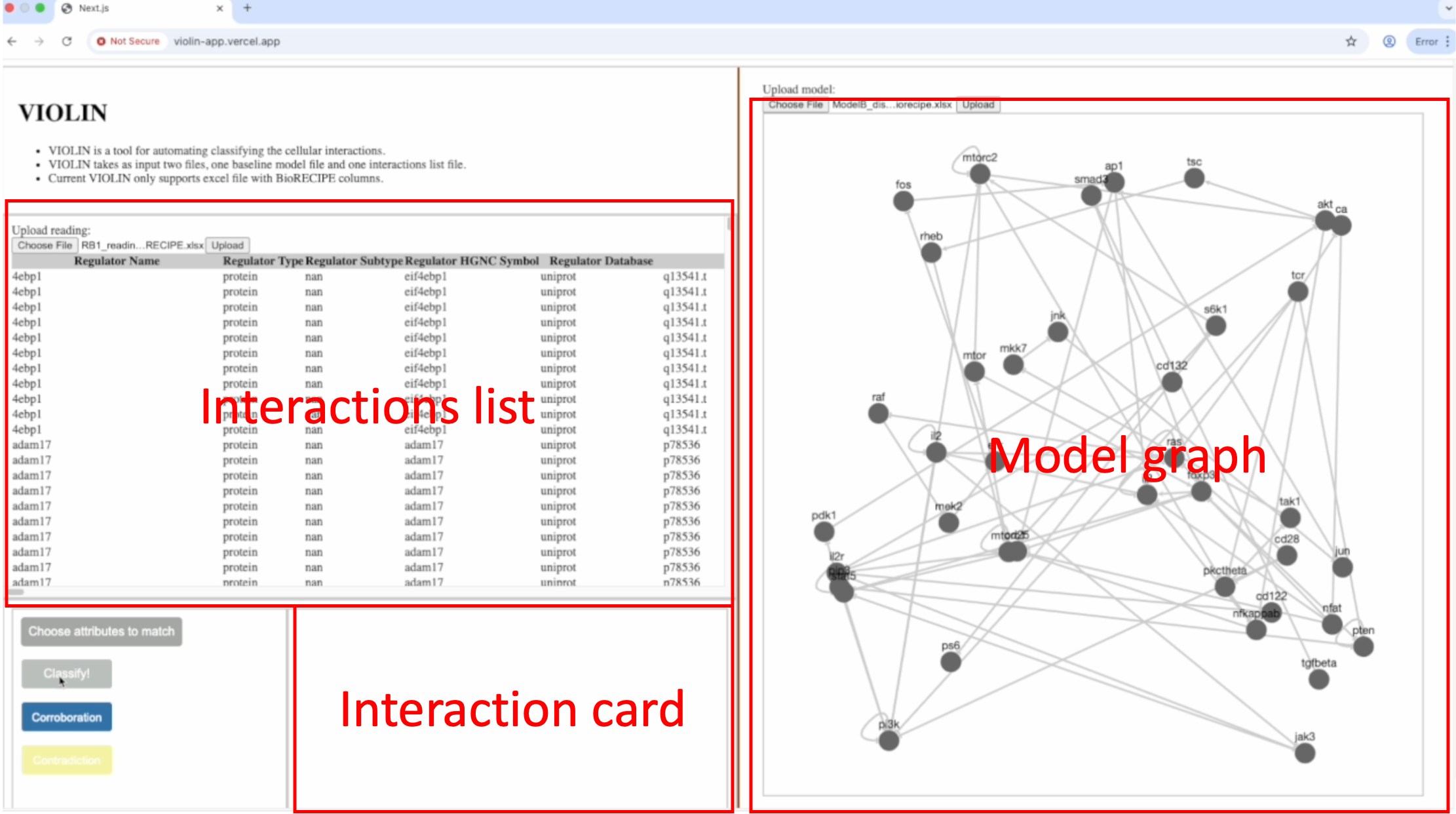
After uploading the files, you will likely see the interactions list and a graph for the baseline model.
By selecting the interactions in the interaction list window, you can see the corresponding interaction in the interaction card.
To classify the interaction, you could specify the attributes you want to compare; the model will classify the interactions by those attributes besides the essential attributes.
After classification, you can render the classified result in the graph by clicking the corresponding interaction row:
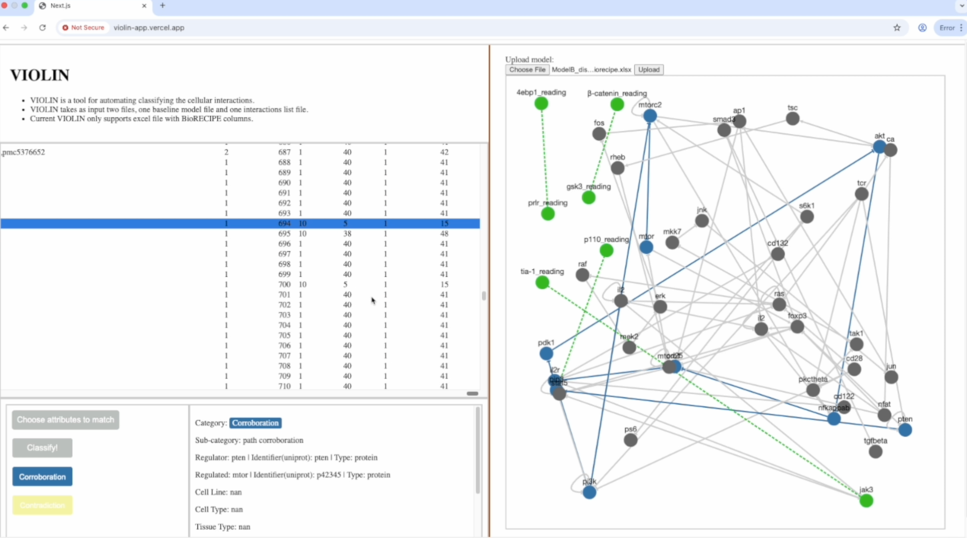
The web page could also display the hits for the corroborated and contradicted interactions in the model: